
On a busy production day, the phone is the real control room. Runners confirm locations, producers juggle call sheets, coordinators chase deliveries and everyone relies on the same group chat to keep the day moving. When half the crew are freelancers who arrived that morning, the question of whose phone everyone is using suddenly matters a great deal.
That’s one reason iPhone hire has become a routine part of planning for many UK organisations. Production companies, event teams, consultancies, app developers and HR departments all use rented handsets to give people reliable, consistent devices for a fixed period, without adding them to a permanent fleet or asking staff to use their personal phones for work.
This guide covers where rented iPhones make the most sense, how to choose the right models and connectivity, what to think about for security and device management, and the small details that decide whether a hire goes smoothly or turns into a week of chasing chargers and passcodes.
Why Businesses Choose iPhone Rentals
Buying a handful of phones is easy. Buying fifty for a three-month project, then securing, managing, wiping and reselling them afterwards, is a different matter. iPhone rentals take that whole lifecycle off your hands.
The most common reasons UK organisations rent include:
- TV, film and content production. Crew phones for coordination, plus handsets used for behind-the-scenes filming and social content.
- Events and live experiences. Staff communication, ticket scanning, payment processing and on-site content capture.
- Project teams and contractors. Giving temporary staff a work number and a secure device, rather than relying on personal phones.
- App development and testing. QA teams often need specific models or operating system versions to test against, sometimes only for a few weeks.
- New starters and replacements. Covering gaps while permanent handsets are on order or in for repair.
- Visiting teams. Colleagues arriving from overseas who need a local UK number and data for the duration of their stay.
- Trials and pilots. Testing a new app, workflow or management setup with a small group before a wider rollout.
In each case the need has a clear end date, and that’s where renting tends to beat buying.
Choosing the Right Handsets for Your Team
It’s tempting to simply ask for “the latest iPhone” and leave it there. The better approach is to match the device to what people will actually do with it.
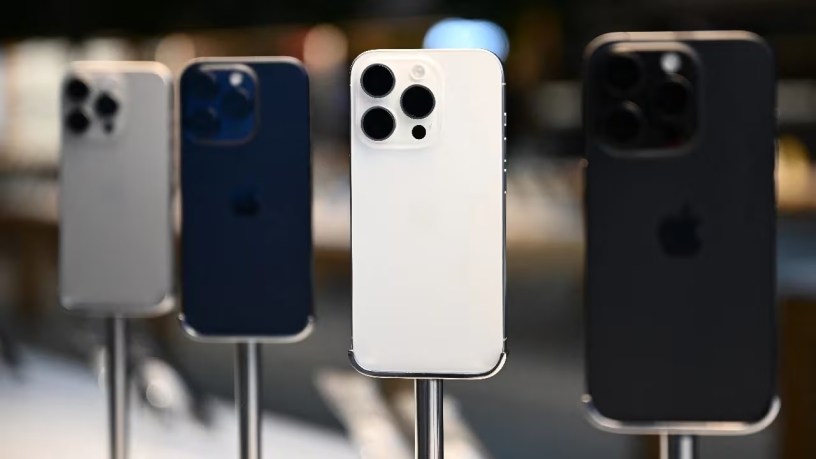
Model and generation. For calls, messaging, email and everyday apps, a recent standard model is more than enough. If your team is shooting video, taking high-quality photos or running demanding apps, a Pro model with a better camera system and more processing headroom is worth the difference.
Storage. Video eats storage quickly. A crew filming social content all day will fill a base-level phone in no time. For general business use, mid-range storage is usually fine, particularly if files sync to the cloud.
Screen size. Larger screens suit people reviewing documents, footage or dashboards on the move. Smaller phones are easier to carry on a busy event floor.
Battery life and charging. Long production days and full-day events drain batteries. Ask about power banks and multi-device charging stations as part of the hire.
Cases and screen protection. Rugged cases and tempered glass screen protectors are cheap insurance against the drops that come with busy, unpredictable environments.
Specific versions for testing. If you’re testing software, be precise. Tell your supplier which models and operating system versions you need, and ask them to confirm before dispatch.
Connectivity: SIMs, eSIMs and Data for iPhone Rental UK
A rented phone is only as useful as its connection. This is where many hires go wrong, so it’s worth getting clear on your options early.
Supplier-provided SIMs. Many rental providers can supply handsets with SIM cards or eSIMs already active, with an agreed data allowance. That’s the simplest route for short-term hires and visiting teams.
Your own business SIMs. If you already have a corporate mobile contract, you may prefer to use your own SIMs in rented handsets. Recent models increasingly rely on eSIM, so check how your network provisions them and allow time to set this up.
Coverage. Coverage varies between networks and locations, particularly in rural areas, large exhibition halls and older buildings with thick walls. If you’re working somewhere remote, check coverage for that location before choosing a network.
Data allowances. Video calls, uploading footage and hotspotting laptops all use a lot of data. Underestimating this is one of the most common causes of mid-hire problems.
Travel abroad. If phones will travel to Europe or further afield, check roaming terms carefully. Since the UK left the EU, roaming charges vary considerably between networks.
When you’re comparing suppliers of iPhone rental in the UK, it’s worth asking specifically how they handle SIMs, eSIMs and data, not just which handsets they stock.
Security and Device Management for Rented Phones
Phones carry email, messages, files, photos and access to business systems. A lost or stolen handset can quickly become a data problem, so security needs to be part of the plan from the start.
Mobile Device Management
Mobile device management software lets you configure phones centrally, push apps and settings, enforce passcodes, separate work data and, if needed, lock or wipe a device remotely. If your organisation already uses a management platform, ask the supplier to enrol the rented phones before delivery, so they arrive ready and compliant. Handsets set up in a supervised, managed state give you far more control than phones configured by hand.
Pre-Configuration
Ask whether devices can arrive with your apps installed, email configured and settings applied. When every phone is set up from the same template, your team can switch them on and start work, and any support issues are easier to diagnose.
Returns and Data Wiping
Before phones go back, make sure staff sign out of any personal or work accounts and disable any activation locks, so the handsets can be reset. Ask your supplier how devices are wiped on return and whether you’ll receive confirmation of data erasure. Under UK GDPR, your organisation remains responsible for personal data on those devices until it’s properly removed.
Logistics: Getting Phones to the Right People
Phones are small, valuable and easy to lose track of. A little organisation goes a long way.
- Keep an asset list. Record each handset’s serial number and phone number against the person using it. Many suppliers can provide user-level tracking, which makes fault reporting and returns much simpler.
- Decide on bulk or individual delivery. A single delivery to one location is easier to control. Individual delivery to crew members, remote staff or multiple sites gets people started faster but needs more coordination.
- Label everything. Number the phones, chargers and cases so sets stay together.
- Order spares. For large events or productions, one or two spare handsets can save hours when a phone is dropped, lost or left in a taxi.
- Plan the return. Agree a collection date and appoint someone to gather devices, check them against the asset list and make sure they’ve been signed out.
For productions and events with unpredictable schedules, flexibility on delivery and collection times is worth prioritising, even if it costs a little more.
Using Rented Phones for Content and Testing
Two specialist uses deserve a closer look, because they come with requirements that general business hires don’t.
Content capture. Plenty of social video, behind-the-scenes footage and event highlights are now shot on phones rather than dedicated cameras. If that’s the plan, think about the phone as a camera. Pro models offer better low-light performance, more flexible lenses and professional video formats. Storage needs to be generous, and you’ll want a reliable way to offload footage during the day, whether that’s fast cloud upload, external drives or a laptop on site. Gimbals, clip-on microphones and small LED lights are often worth adding to the hire.
App and web testing. Development and QA teams need to see how software behaves across different screen sizes, models and operating system versions. Buying a full test library is expensive and it goes out of date quickly. Renting lets teams assemble exactly the device mix they need for a release cycle, then hand it back. The key here is precision: specify models and software versions clearly, and ask the supplier not to update devices before dispatch if you need a particular version.
In both cases, tell your supplier what the phones are for. The right advice at the start saves a costly reshuffle mid-project.
What Affects the Cost of iPhone Rentals
Pricing depends on more than the handset. Knowing the main variables helps you compare quotes fairly.
- Model and storage. Pro models and higher storage tiers cost more to rent. Only pay for them where the work needs them.
- Quantity and duration. Larger orders and longer hires usually lower the per-device cost.
- Included SIMs, eSIMs and data allowances add to the price, but they also save your team a lot of admin.
- Pre-configuration and enrolment into device management take time and are normally itemised.
- Individual deliveries, multiple addresses and out-of-hours drop-offs all affect the total.
Line quotes up item by item. A low headline rate can look very different once data, setup and delivery are included.
Short-Term vs Long-Term iPhone Hire
Rental periods can run from a single day to a couple of years. The right choice depends on your situation.
A day to a few weeks suits events, shoots, conferences and short visits. Speed of delivery and ready-to-use setup matter most.
One to six months covers most production schedules, project teams and contractor engagements. Support terms, swap-outs and data allowances become more important here.
Six months and beyond can make sense for long-running projects or organisations that want predictable monthly costs without committing to a purchase. Ask whether you can add, reduce or upgrade handsets during the term.
If you’re unsure how long you’ll need the phones, start with a shorter hire and check how easy it is to extend. Most businesses find it simpler to extend than to return phones early.
Conclusion
Rented iPhones solve a very practical problem: giving people a reliable, secure, consistent work phone for exactly as long as they need it. For productions, events, project teams and developers, that flexibility removes the cost and hassle of buying, managing and disposing of handsets that were only ever needed for a few weeks or months.
The key to successful iPhone hire is thinking beyond the handset. Match models and storage to the work, sort out SIMs and data early, set phones up under proper device management, and keep a clear record of who has what. Those details decide whether the phones fade into the background or become a daily distraction.
Plan the return as carefully as the delivery, make sure every device is signed out and wiped, and a rented phone fleet becomes one of the easiest parts of your project to manage.

